Changelog
What changed in each build. Version numbers are the two-digit year followed by the ISO week, so v2638 is week 38 of 2026.
v2643
24 Oct 2026
This version plays video files in the graph, moves ZigZag on Windows to Direct3D 12, and lets project files open in ZigZag from the file browser.
Added
- A Video Player operator, in the new Media category, plays a video file or an animated GIF as a texture, at any speed, forwards or backwards, looping over the file or a part of it. Dropping a video file onto the editor adds one. On Windows and macOS the graphics card decodes the file when it can.
- Clicking the frame rate in the menu bar opens a performance panel that shows where the time of a frame goes and how much graphics memory the graph uses.
- About in the Help menu shows the version you are running and the licenses of the open source software inside ZigZag.
- Project files get a ZigZag icon and open in ZigZag when double-clicked. With several versions installed, the newest opens them and the others are in the Open with menu. A project file opened while another project is open starts a second ZigZag.
Changed
- On Windows, ZigZag now runs on Direct3D 12 instead of Vulkan.
- Transparent output windows are not available on Windows for now. A Window with Transparent on stays opaque there.
- Projects are saved with the extension .zigzagproj, in lowercase. Files with the earlier .ZigZagProj spelling still open.
Fixed
- A trigger inside a graph sometimes left what it was wired to switched on, such as the Open of a Gate.
v2642
15 Oct 2026
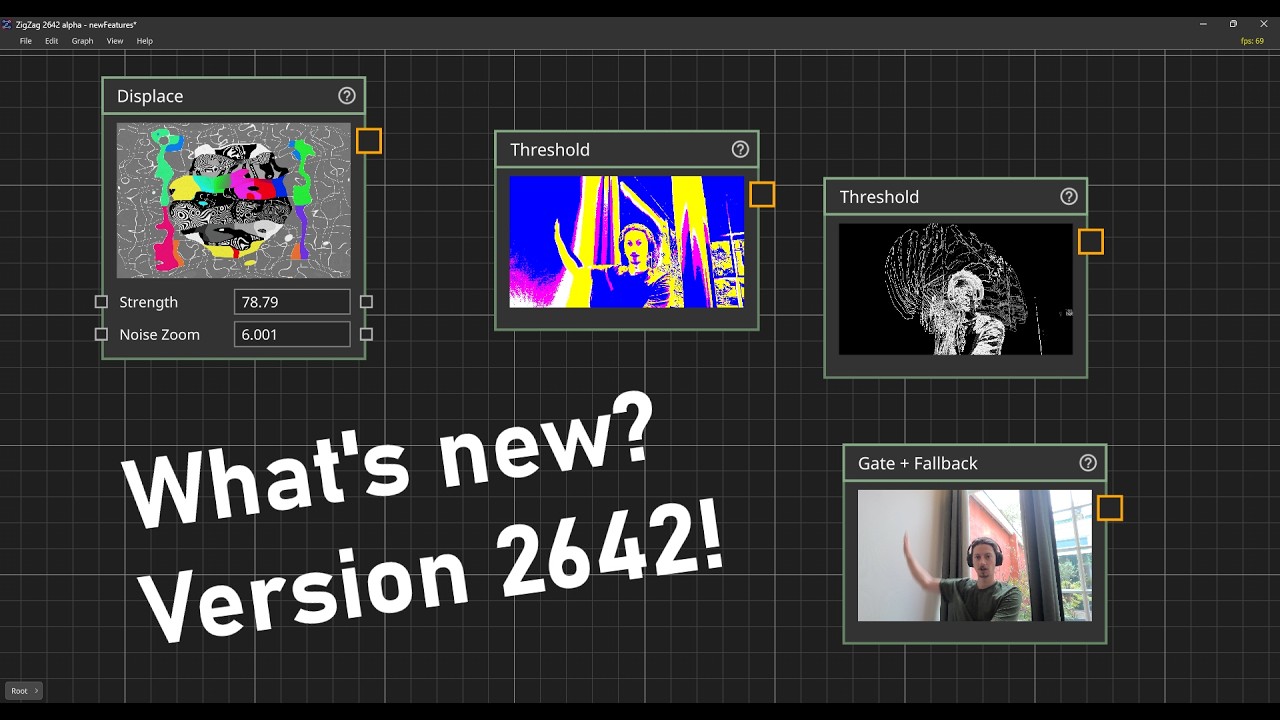
Plays from YouTube. Loading the player sends your IP address to Google and may set cookies, see privacy. This version gives operators, ports and parameters shorter and consistent names, adds search and documentation to the add operator dialog, and makes the editor easier to navigate with the keyboard. A project saved by an earlier build loses some of its operators, connections and values when opened, and the dialog on opening says what was lost.
Added
- New operators:
- Camera, in IO/System, brings a webcam, a capture card or a virtual camera into the graph.
- Invert, Threshold and Compare, in Texture, make the negative of a picture, cut it into black and white at a chosen brightness, and show where one picture differs from another.
- Gate, Fallback and Pass Through, in General, work on any kind of data. Gate passes data while it is open and can hold the last value, Fallback passes a second input while the first is empty, and Pass Through passes data on unchanged.
- The add operator dialog has a search, shows the documentation of the operator you are on, and can be used entirely with the keyboard.
- An operator clicked in the add operator dialog follows the mouse until you click where it should go.
- The path of the graph you are in is shown in the bottom left corner of the view. Click a name to go to that graph.
- Each graph remembers where you were looking at it.
- The arrow keys move the selected operators, Enter steps into the selected graph operator and U goes up.
- Dragging to the edge of the view scrolls it, so you can carry an operator or a connection to something off screen.
- Shortcuts for Open (Cmd O), Save As (Cmd Shift S), Documentation (F1), zooming (Cmd plus and minus) and Show All Operators (Home). Use Ctrl on Windows.
- Blend, Blur and Displace have a Mask Channel. Set it to A to mask with the shape of a cut-out picture.
- Displace has a Mask input and a Mode: Polar for bulges, ripples and twirls, and Slope for the refraction of glass, water and heat haze.
- A trigger button lights up when it fires, and an output or a driven trigger can be pressed by hand to try out a graph.
Changed
- Many names are shorter and consistent:
- Operator names no longer repeat their folder. Transform Texture and Transform Mesh are Transform, Texture Info is Info, Load 3D Model is Load, PBR Material and Unlit Material are PBR and Unlit, Set Material is Apply Material, Load Texture and Save Texture are Load Image and Save Image, and Lookup UV is UV Lookup.
- Ports are named by their role, and everything numbered counts from 0.
- A few parameters are renamed, such as Resize’s Output Size to Resolution and Load Image’s Path to File Path.
- Switch has one output and takes any number of inputs, like Mixer.
- The texture operators have a new default filter, Linear Nice, so a scaled, turned or displaced picture with transparency no longer gets a dark or light fringe.
- A texture with one channel is gray on every input, masks and maps included.
- Displace’s Strength is in pixels, and a positive strength moves the picture right and up.
- Pasting lands where you are looking.
Fixed
- Triggers pass into and out of a graph, several presses in one frame are all passed on, and making a connection to a trigger no longer fires it.
- Blur no longer darkens or lightens the edges of a picture with transparency.
- A texture operator whose input is disconnected clears its output instead of keeping its last result.
- Wave’s sine no longer goes blocky at high frequencies or when its phase keeps counting up.
- New operators:
v2641
8 Oct 2026
This version reworks the texture operators. They now agree on how the size and pixel format of their output are chosen, how inputs of another size are placed, how a texture is read between its pixels and how a one-channel texture is shown.
Added
- A Texture Info operator that reports the size, pixel format and number of channels of a texture.
- A Size output on Load Texture with the size of the loaded image.
- A Crop operator for textures that trims the edges, lays a frame of a chosen aspect ratio over the picture, or cuts out an exact rectangle.
- A Flip operator for textures that mirrors the picture and turns it in quarter turns.
- A Transform 2D parameter type and operator, for placing things in a plane. The operator builds the transform from a stack of operations, the way Transform 3D does.
- An Apply Transform operation in Transform 2D and Transform 3D that applies a transform from another operator.
- An editor for transform parameters, opened with their Edit Transform button.
- Advanced parameters. Rarely needed settings are hidden until you press Show Advanced on the operator, or the A key with the operator selected.
- A Filter choice, Linear or Nearest, on texture inputs, so pixel art and sharp masks can be scaled without blurring.
- A Format choice on every texture operator for the pixel format of its output, including 16 and 32 bit floating point.
Changed
- The size of a texture operator’s output follows one rule: an operator that works on one texture keeps the size of its input, one that combines several has a Size choice, and a generator has a Resolution. A project that gave an operator a Manual size needs a Resize after it.
- A texture with one channel is shown as gray instead of red, everywhere.
- An input of Cross Fader or Mixer, and the foreground of Blend, that has another size than the output is placed in the middle instead of stretched. A Scaling choice brings back Stretch.
- Resize’s Fit Mode is called Scaling, and its two align choices are one Anchor.
- Transform Texture has a Background input and an Anchor, and its transform is a Transform 2D in pixels that turns and scales the picture around its middle.
- Displace and Lookup UV have a Tiling choice for what is read past the edges of the texture.
- Channel Shuffle takes any number of inputs as a list. A project saved before loses its connections to Channel Shuffle’s inputs.
- Sine Wave is now Wave, with Sine, Triangle, Square and Sawtooth waveforms and an Angle and Center to tilt and place the pattern. Phase is in waves, so a signal from 0 to 1 loops seamlessly.
- Noise has a Frequency instead of a Scale, so it looks the same at every resolution, and its Phase loops from 0 to 1 like Wave’s.
- Edge Detect draws its lines on opaque black instead of on a transparent background.
- Window has a Scaling choice. None shows every pixel of the texture as one pixel of the display, for LED walls and pixel mapped outputs.
- Transform 3D’s Scale has a Pivot, and Look At can aim along any direction.
- Renames: the Texture operators Transform, Load Image and Save Image are Transform Texture, Load Texture and Save Texture, and the Mesh operator Transform is Transform Mesh. Save Texture’s Format is called File Format, and the output of the Math operators is called Result.
- Scrubbing a number with the middle mouse button follows the speed of the mouse: fine when slow, quick when fast.
- Opening a project that lost something, such as a parameter that no longer exists, says what was left out.
Removed
- The Output Format, Texture Type and Texture Size parameters of the texture operators. Format, the Size choice and Resolution take their place.
- The Input Transform parameter of Transform 3D. An Apply Transform operation does the same.
- Input A Swizzle and Input B Swizzle of Blend. A Grayscale or Channel Shuffle in front of an input does the same.
- The Alpha toggle of Wave.
Fixed
- A broken project file no longer fails to open without a word, and a value with too few numbers for its parameter no longer crashes the editor.
- A crash on closing a project with a subgraph whose Graph Inputs or Graph Outputs is connected.
- A possible crash when a display is disconnected or the machine goes to sleep.
v2640
1 Oct 2026
Added
- A Help menu with a Documentation entry that opens the documentation on the website.
- Documentation in an operator’s right-click menu, and a help button in its header, open that operator’s page.
- Resting the mouse on an operator’s header, a port or a parameter shows its description.
- The editor checks for a newer release on startup and shows an Update available button when there is one. The check sends only the platform and the version.
- Opening a project saved by another version shows a notice, and a file too new for this build is refused instead of misread.
Changed
- Remap’s mode defaults to Clamp instead of Unbounded.
- Remap’s four min and max parameters are now Input Range and Output Range.
- Counter, Drift, LFO, Noise and Random have a single Range instead of Min and Max, and Sphere has Segments instead of Columns and Rows.
- The Signal operator Move is renamed to Drift.
Fixed
- A rare crash on shutdown.
- An easing curve in Remap clamped the input even in Unbounded mode.
Removed
- Project files saved by 2639 and earlier can no longer be opened.
v2639
25 Sept 2026
Added
- Window operator in IO/System. It shows a texture in a window of its own, with parameters for its position, size, fullscreen, border and more.
- Window Info operator in IO/System. It reports the size, position, display scale and state of a Window operator’s window.
- Dragging one component of a parameter onto another parameter drives all of its components, and dragging a whole parameter onto a single component fills the components from that one onwards.
- The object picker has a None entry and lists operators inside subgraphs with their path.
Changed
- The whole project runs every frame, whichever graph is being viewed.
- The editor and the graph run in step with the display’s refresh rate instead of at a fixed 60 fps.
- Fullscreen no longer switches the display’s video mode.
- Enum parameters keep a value that is not available right now, such as a device that is unplugged, and show it in red.
- Operators are selected, dragged and right-clicked through their header only.
Fixed
- Crash on quit when the project contains parameter connections.
- Error when the window was minimized.
- On macOS, the application no longer hangs while a window goes into or out of fullscreen.
Removed
- Show Window in the texture viewer’s context menu. The Window operator takes over.
v2638
17 Sept 2026
Added
- macOS support. ZigZag ships as a signed and notarized app in a dmg.
- Parameter connections can be made per component, by dragging from a single field of a vector parameter.
- Connections can be made by right-click dragging.
Changed
- Reworked the Signal operators. Signal now means realtime signals, and many new Signal operators were added.
- Reworked the Math operators. Expression is now Formula, Arithmetic is now Math, and MapRange is now Remap.
Fixed
- Crash on shutdown when deleting graphs.
Removed
- The Vector operator. Per component parameter connections take its place.
v2637
10 Sept 2026
First public version.