Version 2642
Released 15 Oct 2026alpha
What's new
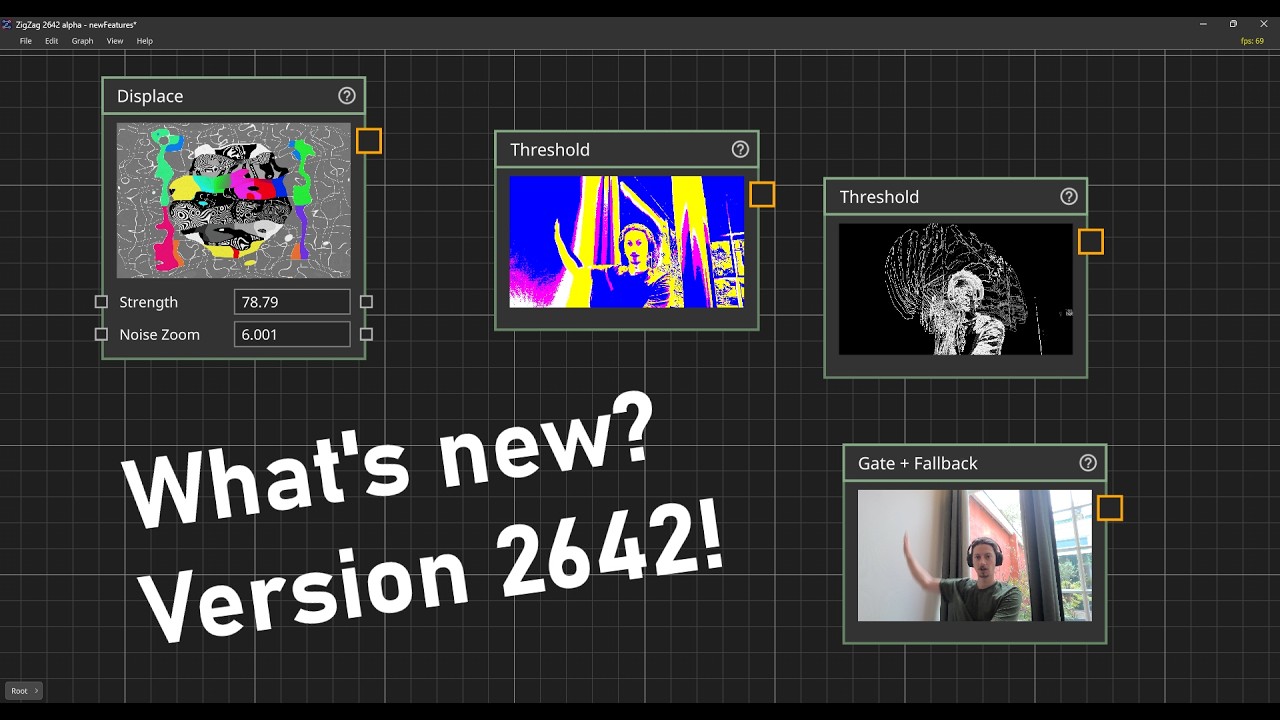
This version gives operators, ports and parameters shorter and consistent names, adds search and documentation to the add operator dialog, and makes the editor easier to navigate with the keyboard. A project saved by an earlier build loses some of its operators, connections and values when opened, and the dialog on opening says what was lost.
Added
- New operators:
- Camera, in IO/System, brings a webcam, a capture card or a virtual camera into the graph.
- Invert, Threshold and Compare, in Texture, make the negative of a picture, cut it into black and white at a chosen brightness, and show where one picture differs from another.
- Gate, Fallback and Pass Through, in General, work on any kind of data. Gate passes data while it is open and can hold the last value, Fallback passes a second input while the first is empty, and Pass Through passes data on unchanged.
- The add operator dialog has a search, shows the documentation of the operator you are on, and can be used entirely with the keyboard.
- An operator clicked in the add operator dialog follows the mouse until you click where it should go.
- The path of the graph you are in is shown in the bottom left corner of the view. Click a name to go to that graph.
- Each graph remembers where you were looking at it.
- The arrow keys move the selected operators, Enter steps into the selected graph operator and U goes up.
- Dragging to the edge of the view scrolls it, so you can carry an operator or a connection to something off screen.
- Shortcuts for Open (Cmd O), Save As (Cmd Shift S), Documentation (F1), zooming (Cmd plus and minus) and Show All Operators (Home). Use Ctrl on Windows.
- Blend, Blur and Displace have a Mask Channel. Set it to A to mask with the shape of a cut-out picture.
- Displace has a Mask input and a Mode: Polar for bulges, ripples and twirls, and Slope for the refraction of glass, water and heat haze.
- A trigger button lights up when it fires, and an output or a driven trigger can be pressed by hand to try out a graph.
Changed
- Many names are shorter and consistent:
- Operator names no longer repeat their folder. Transform Texture and Transform Mesh are Transform, Texture Info is Info, Load 3D Model is Load, PBR Material and Unlit Material are PBR and Unlit, Set Material is Apply Material, Load Texture and Save Texture are Load Image and Save Image, and Lookup UV is UV Lookup.
- Ports are named by their role, and everything numbered counts from 0.
- A few parameters are renamed, such as Resize’s Output Size to Resolution and Load Image’s Path to File Path.
- Switch has one output and takes any number of inputs, like Mixer.
- The texture operators have a new default filter, Linear Nice, so a scaled, turned or displaced picture with transparency no longer gets a dark or light fringe.
- A texture with one channel is gray on every input, masks and maps included.
- Displace’s Strength is in pixels, and a positive strength moves the picture right and up.
- Pasting lands where you are looking.
Fixed
- Triggers pass into and out of a graph, several presses in one frame are all passed on, and making a connection to a trigger no longer fires it.
- Blur no longer darkens or lightens the edges of a picture with transparency.
- A texture operator whose input is disconnected clears its output instead of keeping its last result.
- Wave’s sine no longer goes blocky at high frequencies or when its phase keeps counting up.